VoIP Phone: A Smart Choice for Modern Business Communication
VoIP Phone: A Smart Choice for Modern Business Communication
As businesses increasingly adopt internet-based solutions, the VoIP phone has emerged as a vital tool for enhancing communication efficiency. Unlike traditional landline phones, VoIP phones use internet protocols to transmit voice data, allowing for greater flexibility, lower costs, and a rich suite of features.
This guide covers everything you need to know about VoIP phones, including how they work, the types available, benefits for businesses, and key features to look for.
What is a VoIP Phone?
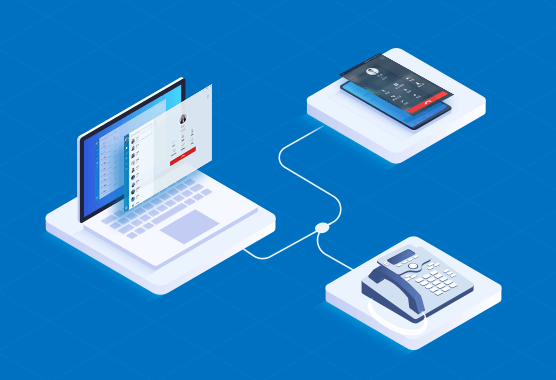
A VoIP phone (Voice over Internet Protocol phone) is a device that makes and receives calls over the internet instead of through conventional telephone lines. It can be a physical desk phone with IP capabilities or a software-based phone (softphone) installed on a computer or smartphone.
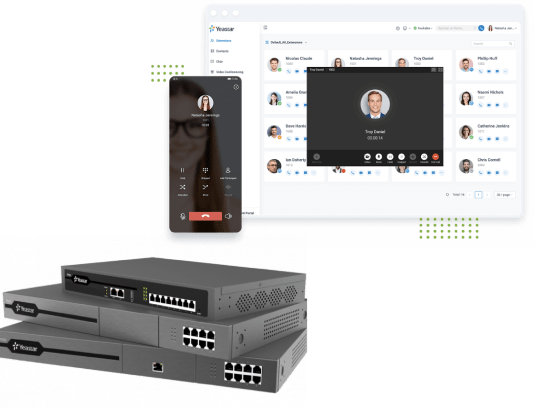
VoIP phones are a core component of modern business phone systems, especially those using hosted PBX or cloud communication platforms.
How Does a VoIP Phone Work?
VoIP phones convert your voice into digital signals that are transmitted via your internet connection. These signals are sent to the recipient, decoded back into audio, and heard on the other end.
VoIP phones connect to your network through:
Ethernet cables (wired IP phones)
Wi-Fi (wireless IP phones)
Mobile data or apps (softphones)
They communicate with VoIP servers or cloud PBX systems to manage call routing, voicemail, caller ID, and other features.
Types of VoIP Phones
1. Desk VoIP Phones
These resemble traditional business phones but connect via Ethernet or Wi-Fi to your VoIP network. Ideal for office desks, they often include features such as HD audio, call transfer buttons, and support for multiple lines. They’re best suited for staff with a fixed workstation and regular call activity.
2. Wireless VoIP Phones
Wireless VoIP phones operate over Wi-Fi, giving users the flexibility to move around while staying connected. These are perfect for open offices, warehouses, or retail environments where mobility is essential. They often come with features like roaming support and extended battery life.
3. Softphones
Softphones are software applications that turn your computer, tablet, or smartphone into a VoIP-enabled phone. They’re cost-effective and highly portable, making them ideal for remote workers and hybrid teams. Most softphones support video calls, screen sharing, and integration with business tools.
4. Video VoIP Phones
These advanced phones include built-in cameras and screens for video conferencing. Ideal for executive offices or meeting rooms, they support face-to-face collaboration without needing a separate video setup. Many models support high-definition video, touchscreen controls, and integration with conferencing platforms. Equipped with cameras and screens for video conferencing in addition to voice calls.
Benefits of Using VoIP Phones
Cost Savings: VoIP phones reduce monthly telephone bills by using internet data rather than traditional phone lines. Businesses save significantly on local and international calls, especially when connecting remote teams or multiple branches.
Mobility: Employees can make and receive calls from anywhere with an internet connection using softphones or mobile apps. This mobility ensures continuity of communication even outside the office and is a game-changer for hybrid teams.
Advanced Features: VoIP phones come equipped with powerful functionalities like call forwarding, auto attendants, call queuing, voicemail-to-email, and conference bridging. These tools streamline communication and improve customer service.
Scalability: As your business grows, VoIP systems make it easy to add new users, devices, or even whole departments without expensive rewiring or hardware changes. Expansion is as simple as assigning a new login or extension.
Integration: VoIP phones can sync with CRMs, calendars, and helpdesk platforms, enabling smoother workflows and more informed customer interactions. This also improves productivity and cross-department collaboration.
HD Call Quality: Thanks to broadband internet and noise-reduction technologies, VoIP phones often provide clearer, crisper audio than analog phones—especially in busy environments. Enjoy clearer conversations compared to analog lines.
Key Features to Look For
High-definition Voice: Look for phones that support wideband audio codecs like G.722, which deliver clearer and more natural sound. This improves overall call experience, especially in customer-facing roles.
Power over Ethernet (PoE): PoE enables the phone to receive power and network connection through a single Ethernet cable. This reduces desk clutter and makes installation simpler, especially in offices without nearby power outlets.
Touchscreen or LCD Display: A clear, intuitive display helps users navigate features, view caller IDs, and manage call logs easily. Some models include color screens with customizable options.
Multiple Line Support: Essential for receptionists or executives handling several lines simultaneously. It allows switching between calls, monitoring line activity, and managing extensions more efficiently.
Bluetooth or USB Headset Compatibility: Provides users with hands-free convenience. Bluetooth is great for mobility, while USB headsets offer plug-and-play simplicity for call center environments.
Call Transfer, Hold, Mute, and Conferencing: These fundamental features ensure call control and collaboration, making VoIP phones versatile for teams of all sizes.
Visual Voicemail and Call History: Lets users access and manage voicemail messages and missed calls quickly through an on-screen interface, improving responsiveness and organization.
Choosing the Right VoIP Phone
When selecting a VoIP phone for your business, consider:
Your Work Environment: Desk phones for fixed locations, softphones for remote teams.
User Needs: Sales or support staff may benefit from features like call recording or headset support.
Compatibility: Ensure the phone works with your VoIP provider or hosted PBX system.
Budget: Options range from entry-level models to enterprise-grade devices.
Popular brands include Yealink, Cisco, Poly (formerly Polycom), and Grandstream, known for reliability and compatibility with leading VoIP services.
FAQs About VoIP Phones
Do I need a VoIP phone to use VoIP services?
Not necessarily. You can use a softphone or VoIP app on your existing device.
Can I use my existing phone with VoIP?
Yes, with an Analog Telephone Adapter (ATA), traditional phones can be connected to VoIP services.
Is the call quality good on VoIP phones?
Yes, with a stable internet connection, VoIP phones often deliver HD voice quality.
Are VoIP phones secure?
Most providers offer encryption and security protocols to protect calls and data.
Conclusion
A VoIP phone is a smart, future-ready communication tool for businesses seeking cost-effective, scalable, and feature-rich phone solutions. Whether you’re outfitting a growing office or supporting a remote team, VoIP phones offer the flexibility and power to meet your communication needs.
Explore ourVoIP Solutions to find the right setup for your team.